03 · Managed Modules Install only the capabilities this organization needs.
Modules are built and published by the QAAR platform, mapped to organization type and plan, then made available for organization admins to install.
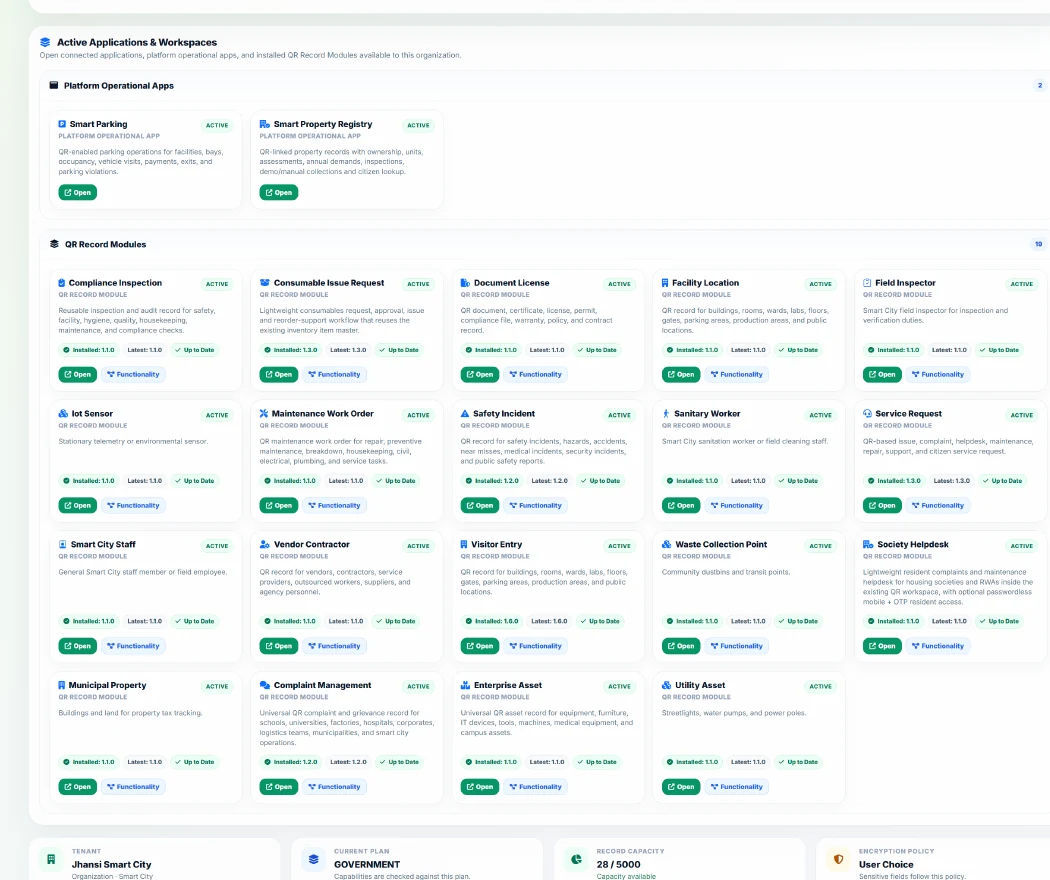
Enterprise Operations Service Request QR-based issue, complaint, helpdesk, maintenance, repair, support, and citizen service request.
Managed Module Min tier: free
School Operations Student Qr Identity Lightweight protected QR identity for students and learners used for campus scans, bus/gate movement, lost ID support, and roster mapping. Full academic student operations remain in the School Operations Suite.
Managed Module Min tier: free
Smart City Operations Enterprise Asset Universal QR asset record for equipment, furniture, IT devices, tools, machines, medical equipment, and campus assets.
Managed Module Min tier: free
Enterprise Operations Visitor Entry QR record for buildings, rooms, wards, labs, floors, gates, parking areas, production areas, and public locations.
Managed Module Min tier: free
Enterprise Operations Gate Terminal Security checkpoint, entry gate, or turnstile.
Managed Module Min tier: free
Enterprise Operations Maintenance Work Order QR maintenance work order for repair, preventive maintenance, breakdown, housekeeping, civil, electrical, plumbing, and service tasks.
Managed Module Min tier: free
Enterprise Operations Facility Inspection Installable managed package for facility inspection management.
Managed Module Min tier: free
Enterprise Operations Compliance Inspection Reusable inspection and audit record for safety, facility, hygiene, quality, housekeeping, maintenance, and compliance checks.
Managed Module Min tier: free